
WordPress is a content management system that was created for bloggers so that they can set up their blogs easily and quickly. Over time, the CMS evolved into much more than just a website building platform. Now, 15 years after its launch, WordPress is used to make any type of website you can possibly think of. From a small one-pager website to a complex dropshipping store, WordPress is used for all purposes.
All this is made possible through different plugins that are created to add various functionalities into your website. WooCommerce is one such plugin that lets you create an online store while working on the same website. Once the plugin is installed on your website, you will see functionalities such as “Add Products” “Conversion Tracking” and much more.
I am sure you must have stumbled upon a number of WooCommerce reviews before but in this article, I will take you through a detailed walk through of how WooCommerce works and why you need to use it to make your online store.
What is WooCommerce and Why Do You Need to Use it?
If you are a blogger and you would like to make a blog or if you want to make a small business website then WordPress is the best platform. But if you are deciding to create an eCommerce store or dropshipping store then you can choose WooCommerce. Basically, WooCommerce is a WordPress plugin that offers eCommerce functionality which helps to create a WooCommerce store.
WooCommerce is one of the leading eCommerce platforms nowadays. Just because it is flexible, easy to use, and free. Yes, it is free but what you actually do need is a hosting account and hosting is basically where you store shows to the people so they can access your website.
Although there are many hosting providers available on the internet, one of the leading hosting providers is Cloudways that offers managed WooCommerce hosting where you can get free SSL, automated backups, migration, staging, bot protection, unlimited applications, unlimited server access, and much more features that you can think of.
Pricing: In terms of WooCommerce pricing, it is free but you need to buy a domain and hosting to run your online store. For domain, the pricing will be calculated as per your domain name, and for hosting you will start your eCommerce journey in just 10$/month.
Payment: Most of the time people just use PayPal because that is really easy and they charge like a two to three percent fee. So that’s pretty much even there. You can also use other payment options like Stripe, Skrill, COD method, etc.
Themes: The other thing that you have to pay for is themes. Themes are basically like a skin that you add to your WooCommerce store that gives it a specific look and appearance or like a color scheme. But it’s not necessary there are many free WooCommerce themes that you can also use.
Plugins: In terms of the plugins, that are dependable on your store requirements. There are many free plugins available such as the Breeze WordPress cache plugin, migrator plugin, WooCommerce multi vendor plugins, and others. You can also go with the premium plugin.
Now let’s move to the platform and see how easy that is.
WooCommerce Dashboard
Below you can see my WordPress admin dashboard. You can see everything is clear and readable, like posts, pages, media, comments, and the WooCommerce tab which I will discuss in the next step.
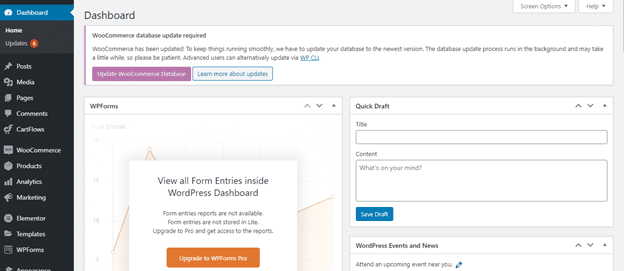
So, you can see the WooCommerce tab is here. I am hovering on it and you can see what options are available via the screenshot below.
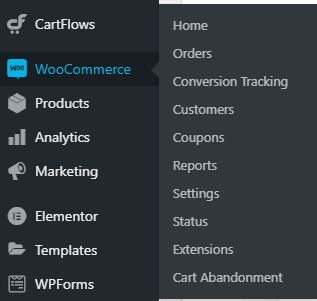
Above the image, you can see the settings tab, which allows us to set up your WooCommerce store using those settings. Let me show you what is under this tab.
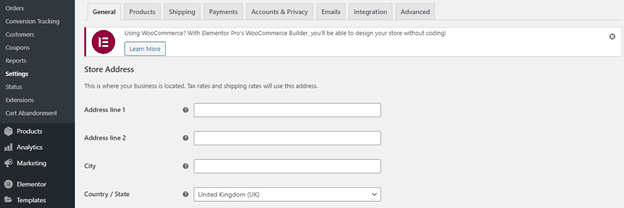
So basically, you have different tabs here, let’s discuss one by one each.
General: In the general tab, you can set where your business is located. Tax rates and shipping rates will use this address.
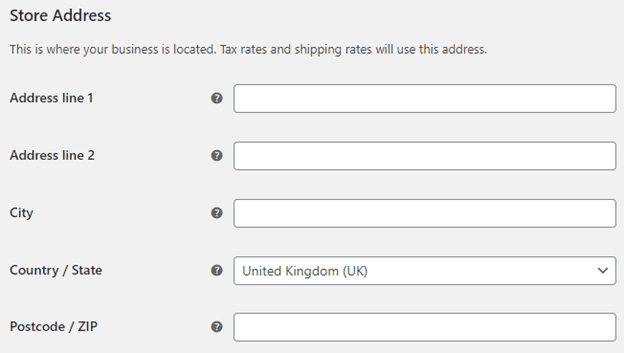
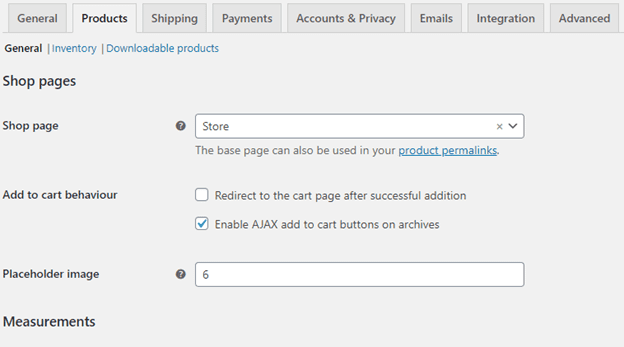
Products: In the product tab, you can set your shop page settings, measurements, and product set, and more settings that will help you to create a better product.
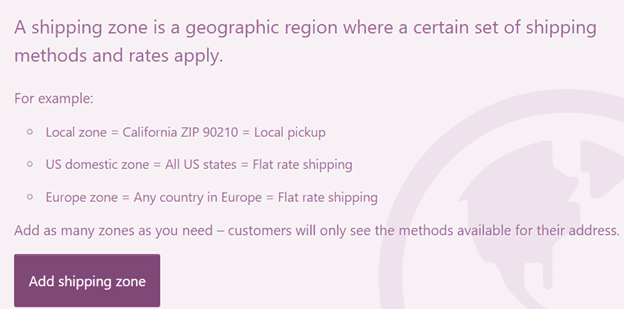
Shipping: A shipping zone is a geographic region where a certain set of shipping methods are offered. WooCommerce will match a customer to a single zone based on their shipping address and present the shipping methods available to the zone.
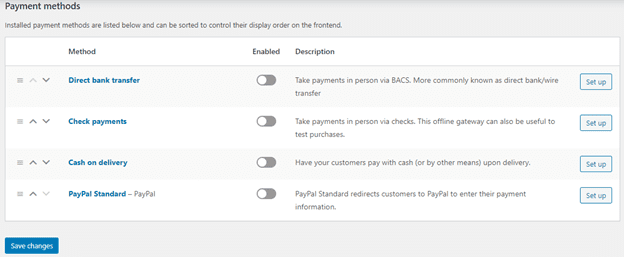
Payment Method: You can set different payment options from here.
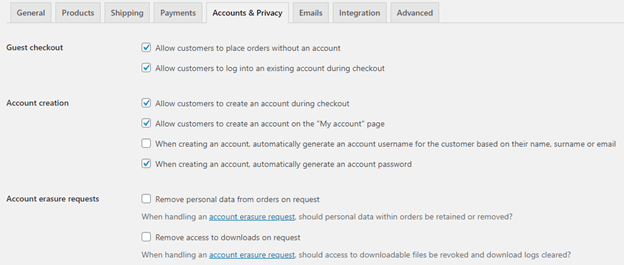
 Account & Privacy: That option allows you to set your account details like how the registration and login form show to your customers. You can also customize it from here or through code.
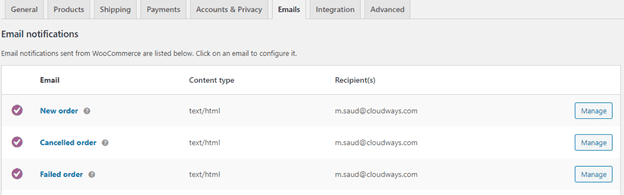
Emails: By default, WooCommerce offers an email template that you can customize according to your requirements.
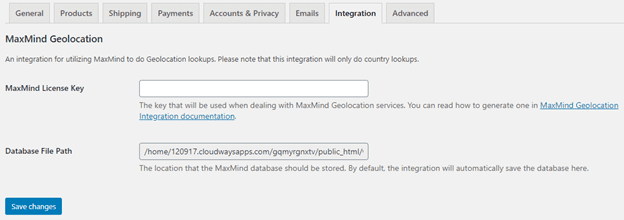
Integration: An integration for utilizing MaxMind to do Geolocation lookups. Please note that this integration will only do country lookups.
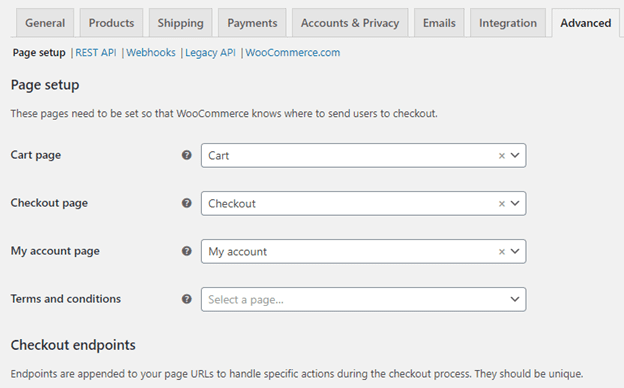
Advanced: Here you can set up your checkout or cart page setup. By default, it’s already set up but if you want to change then you can change from here.
Apart from the setting tab, you have some more options like orders, conversion tracking, customers, coupons, and status. From time to time when you will get your orders you can explore this option and it will help you to manage, analyze, and increase your sales.
Wrapping Up!
I have covered the complete WooCommerce review in this guide and I hope you can read this complete article and understand why WooCommerce is the best eCommerce platform. If you have any comments regarding this tutorial let me know via the comment section below.
About Author
Danial Ashrafi is the digital marketer at Cloudways – A Managed WordPress and WooCommerce Hosting Platform. Danial is responsible for creating buzz, spreading knowledge, and educating the people about WordPress and WooCommerce in the Community around the globe. In his free time, he likes to play cricket and learn new things on the Internet.