Knowing the art of design is not an easy process and at the same time the digital world is growing faster than ever before. Nowadays even small businesses are adopting professional branding and surely you have wondered, but how do they do it? Actually it is not as hard as you think, the answer is with platforms like Desygner.
Desygner is the perfect design tool to create posts for all your social platforms, images for blogs and even if you’re creating your own website. Desygner is also highly valuable to create advertising material such as posters, flyers or discounts.
Desygner Templates
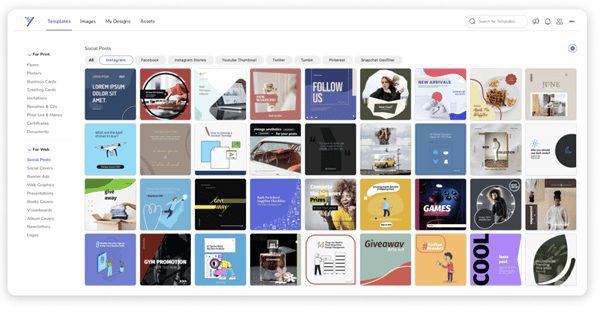
Desygner has thousands of free templates to suit all kinds of industries or ideas. In addition, their team of professional designers add new templates that you can enjoy every month.
You can go through all the categories and scroll through templates for inspiration and choose your favourite ones. Once you have chosen your template, you can edit it in the easy-to-use editor as all the templates are fully editable.
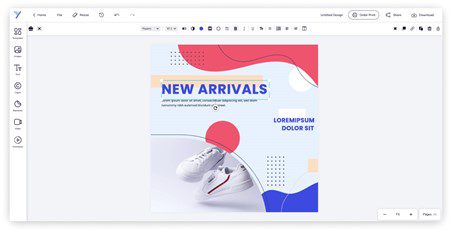
Desygner – Easy To Use Design Editor
Desygner design editor is the perfect blend of power and simplicity. It comes with easy-to-use features that make designing simple, so you can spend less time trying to figure out how to use an editor, and more time creating great designs.
- Resize: you can resize your designs to other formats with just one click. You can choose predetermined formats or add the size you want.
- Animation: make your designs come to life. By simply choosing the animation that you like the most, your design will begin to move.
- Background Remover: this allows you to remove the background of any image in the same editor with just one click!
- And much more!
 Resources & Royalty-Free Content:
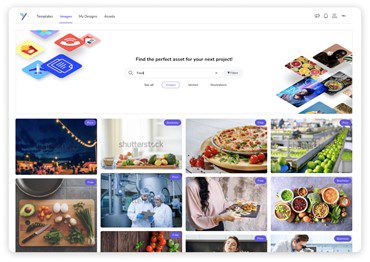
Desygner offers you access to millions of free images, thousands of font styles, pre-built text banners, and icons that you can try. You will also get to enjoy unlimited access to over 125 million Shutterstock images as you upgrade to Desygner Pro+ or Business.
You can use all the content commercially, no questions asked.
 Desygner’s Asset Library
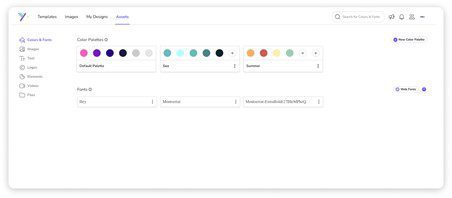
To keep your designs & brand looking on point, Desygner has an asset library where you can organize and manage all your color palettes, images, fonts, logos, files, and more.
Once added to your assets, you will be able to access and use all of them from the editor with just a few clicks.
 Desygner’s App
In addition to its web version, Desygner has its own app available on IOS and Android. With your Desygner account, you can open your app in a synchronized way and you can access and edit all your designs from wherever you want.
 Desygner’s PDF Editor
Need to modify an image, change a logo, or brand your documents?
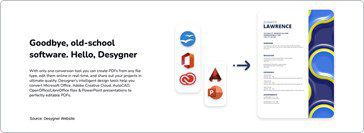
Desygner also has an incredible integrated PDF editor! This is one of its biggest differences from other platforms. There are thousands of PDF editors in the market, but not all of them work as well as Desygner’s.
Need to modify an image, change a logo, or brand your documents? Easy, once your PDF file is imported, it will become fully editable.
You can also delete or add new elements easily.
 Is it only for Creatives and Small Businesses?
No, Desygner is also a powerful DAM (digital asset management software) for any type of business. You can find very powerful features for large franchises or companies that need greater control and asset management in their company and it’s also a great tool for small and medium businesses.
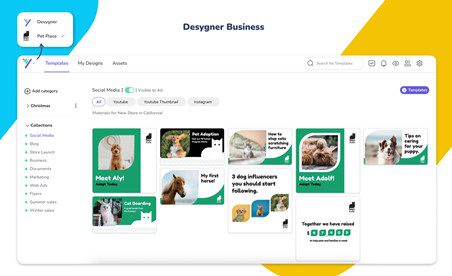
Desygner’s business plan is perfect for both medium businesses and small businesses with just a few employees. When you create a Business account, you will have an extra ‘Workspace’ for your business where you can have all your own branded templates organized in collections for your team to use.
Templates are branded content designs that can be modified by different people without changing the original file. They can be generated from PDF files, Indesign, or designed on Desygner’s online editor. It is like having your very own in-house Desygner for your team