
It’s very common for businesses to conduct presentations on many occasions. But when it comes to enjoying a presentation, there’s probably only a handful that haven’t bored you to death.
Regardless of whether you’re a seasoned conference speaker or you’ve never done a presentation in your life, the creation and delivery of it is essential. It can be the difference between success and failure for whatever the presentation’s intention is.
Thankfully, there are lots of tips, tricks and tools that make it easier to create them. If you find yourself with the challenge of creating a presentation or improving upon your current work processes, then these steps should help.
The benefits of a business presentation
Most people in business create at least one presentation per week. For businesses both big and small, presentations help inform, motivate and educate those audiences who receive them. They can help communicate progression in the company, provide training for staff and can help seal the deals on various projects.
With the right mix of visuals and captivation through words, it can be a helpful contribution to the growth of a business.
Make a plan and collate your data
Before creating the slides themselves, you’ll want to make a plan. Think about the objectives or end goal that you want to achieve with the presentation itself. A loose structure is going to be effective in keeping on track with your intentions as a whole.
Making a presentation can take time, especially if you have a lot of data to collate. With 47% of presenters taking more than 8 hours to design their presentations, it pays to take your time with it, rather than to rush the process.
When it comes to collecting your data, make sure you’re keeping it all in the same place so that you can refer back to it without spending a lot of time looking for it. This can often be a waste of time and with many small businesses, your time and resources may be limited.
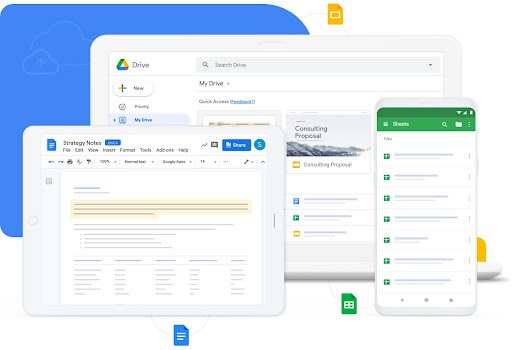
This can be particularly important when a presentation is a collaborative process. When it involves multiple contributors, having a central pool of resources can be productive. Tools like Google Drive can be worth investing in for your business in order to provide endless amounts of storage.
Have a slide checklist
A checklist is always a handy part of any process because it ensures nothing gets forgotten about. There is likely to be plenty of information and data that you want to get across within the presentation itself. However, it’s better to have this written or inputted into a list for you to check off accordingly.
If it’s a collaborative process, then a checklist is even more essential to avoid confusion, repeated information and mistakes within the slides themselves.
When it comes to the individual slides, it’s good to have the right balance of information. Too much information and it will bore the person engaging with the presentation. Not enough information and it will leave them with unanswered questions.
Your checklist is likely to come in handy later on when you’re giving the presentation. It will give you the necessary reference points that are relevant to touch upon when it comes to each new slide.
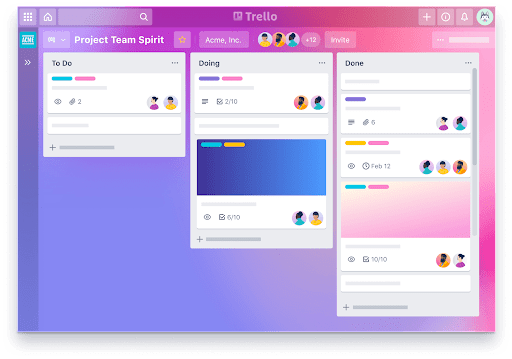
For the checklist you could take it back to basics with a pen and paper, or you can use a digital platform like Trello. This is particularly useful in scenarios where you’re collaborating with others.
Design your presentation with creative tools
Creativity is something that everyone has in some form and it can be elevated through the use of online tools and software. You might not have a degree in design but with many of the tools available online, they are created with the intention to be used by everyone.
A presentation may sound good but it needs to look good too in order to keep your listeners/readers engaged in what you have to say. As humans, we’re influenced by visuals and color. We’re visual creatures and that’s useful to know when it comes to giving a presentation.
Presentations that use visual aids like infographics, images and video are found to be 43% more persuasive than those without it. When it comes to color, certain colors can emote specific feelings and emotions. This is a great way of influencing your audience to take on board what they’re being told when you’re presenting.
There are lots of tools online and some examples to use would be Canva and Adobe Photoshop. Canva is a great platform for those with little to no design experience because it’s an easy-to-use editing and design tool. From pre-made templates to creating graphics from scratch, Canva can do it all.

Adobe Photoshop is a good one for those with more design experience and perhaps needing something a little more advanced. As a software, it’s one that’s been around for years and has upgraded its features to suit those who are looking for better editing features than Canva.
There are also some great presentation templates out there so that if you have limited design experience, using a premade template is often more productive.
Prep for audience interaction
Audience interaction is an important one and it’s expected that most presentations will involve some form of interaction. Prepping for audience interaction is going to be helpful in order to find the right moments within the presentation to open it out the floor.
However, some audience interaction techniques might not work so well when it’s given in other formats. For example, a downloadable presentation or one done via webinar might make audience interaction more challenging but it can still be done.
Look at some natural points within the slides where you can provide some audience participation. It can really help break up the longevity of your presentation and will likely keep those involved, engaged for longer. If not, it’s very easy for most of us to mentally switch off when watching a presentation.
Some great examples of audience interactions might be to ‘raise a hand if…’, tell a joke or perhaps ask a question for them to answer.
Remember to tell a story
Storytelling is a lot more important than you might think when it comes to the standard business presentation. In fact, 90% of people believe that a strong narrative is a critical element in providing engagement towards a presentation.

With that being said, take your audience on a journey. From the beginning where you introduce yourself to the very end slide, delivery is key. Think about how your presentation might be relative to something going on in society or the world today. Have a concept that works for the information you need to provide and the overall objective that you have for this presentation.
When you tell a story, it becomes more relatable and meaningful. From that, the presentation is better received by any and all that get to look at it.
Tips for delivering a business presentation
Now that you’ve got the steps down for creating the presentation, now comes the delivery. In order to deliver whatever message or intention you have with this presentation, here are a few tips for doing it successfully.
Preparation is key
Preparation is always going to be an important thing to do in life. Without preparation, something is more likely to go wrong. It’s good to prepare before a business presentation because even though you’ve been part of the creative process, it’s always good to go over it once or twice beforehand.
Practicing the presentation the night before on your own, to colleagues or your family/friends, can be a great way of readying yourself for the real thing.
Know your audience
Your audience and who you’re ‘performing’ to is definitely worth considering. It might alter the way you deliver your presentation, whether that be in a more relaxed manner or formal. The age or background of the audience may also determine how you word the information in your presentation, so make sure to think about this also.
If it’s a presentation at a conference, then get an idea of the overall demographic you’ll be presenting to.
Be aware of time
Time is always a necessary part of any presentation, particularly in events where there are other talks and presentations taking place before or after yours. With that in mind, be aware of time. By practicing your presentation beforehand, you’ll have a general idea of how long it takes for you to get through each one.
There may be occasions where you’re given a warning to wrap things up, so look out for this.
Speak clearly
And finally, speak clearly. Try not to rush your presentation because that might mean your audience misses out on what you’re saying. Instead, take your time and try to enjoy the presentation where you can. Speaking clearly and loudly enough will help keep your audience focused and attentive.
When making a business presentation, use these five easy steps to create something that will inspire, motivate and engage those that you’re giving it to. It could make a real difference to the outcome of the presentation itself.
 Author Bio: Natalie Redman (LinkedIn)
Email – [email protected]
Freelance writer for many clients across multiple industries. Natalie has two years of copywriting experience. Natalie has a wide range of experience copywriting for web pages for businesses across many industries. She’s also an owner of two blog websites and a Youtube content creator.